heinzel-clock
What time it is for everyone on the team: a Heinzelmännchen plugin.
| Kind | capability |
| Version | 0.9.0 (first-party, released with Heinzelmännchen) |
| Source | https://github.com/helmut-hoffer-von-ankershoffen/heinzel/tree/main/plugins/heinzel-clock |
| Licence | MIT |
| Install | hz system plugin add clock --confirm |
| Modules | clock |
- Capability: adds operations of its own, commands people and agents run.
See it
clock in the terminal
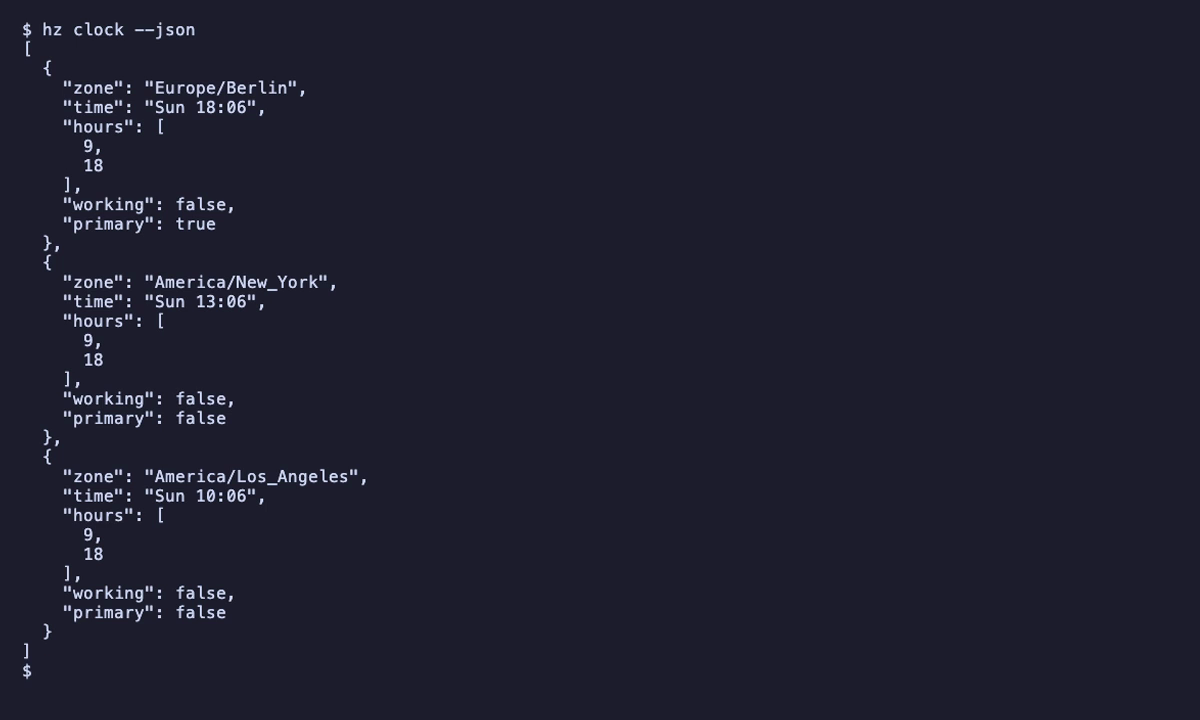
What it shows
$ hz clock --help

 Usage: hz clock [OPTIONS]

 Show the time in each of the team's time zones.

╭─ Options ────────────────────────────────────────────────────────────────────────────────────────╮
│ --at              ISO-8601     Moment to show instead of now (ISO 8601).                         │
│ --format          <text|json>  Output format; defaults to the output_format setting              │
│                                (HZ_OUTPUT_FORMAT), which is text.                                │
│ --json                         Shorthand for --format json, for scripts and agents.              │
│ --help    -h                   Show this message and exit.                                       │
╰──────────────────────────────────────────────────────────────────────────────────────────────────╯

 v0.7.5                                                                  🐻 built with AI in Berlin
$ hz clock
┏━━━━━━━━━━━━━━━━━━━━━━━┳━━━━━━━━━━━┳━━━━━━━━━━━━━━━┳━━━━━━━━━┓
┃ Zone                  ┃ Time      ┃ Working hours ┃ Working ┃
┡━━━━━━━━━━━━━━━━━━━━━━━╇━━━━━━━━━━━╇━━━━━━━━━━━━━━━╇━━━━━━━━━┩
│ Europe/Berlin (yours) │ Sun 18:06 │ 09-18         │ no      │
│ America/New_York      │ Sun 13:06 │ 09-18         │ no      │
│ America/Los_Angeles   │ Sun 10:06 │ 09-18         │ no      │
└───────────────────────┴───────────┴───────────────┴─────────┘
$ hz clock --json
[
  {
    "zone": "Europe/Berlin",
    "time": "Sun 18:06",
    "hours": [
      9,
      18
    ],
    "working": false,
    "primary": true
  },
  {
    "zone": "America/New_York",
    "time": "Sun 13:06",
    "hours": [
      9,
      18
    ],
    "working": false,
    "primary": false
  },
  {
    "zone": "America/Los_Angeles",
    "time": "Sun 10:06",
    "hours": [
      9,
      18
    ],
    "working": false,
    "primary": false
  }
]
Operations
Each column follows the kernel's actual exposure rules. MCP over stdio runs as its caller; HTTP MCP and public REST exclude private operations. Private API and web endpoints require their scoped bearer or paired session. Authentication does not grant human approval. Every CLI command takes --json.
| Operation | CLI | MCP stdio | MCP HTTP | REST | Private API | Web | Changes state | Audience |
|---|---|---|---|---|---|---|---|---|
| Show the time in each of the team's time zones. | hz clock |
clock |
clock |
GET /clock |
GET /clock |
GET /api/clock |
everyday |
hz clock
Show the time in each of the team's time zones.
hz clock [--at TEXT]
| Parameter | Type | Default | Description |
|---|---|---|---|
at |
string or null | null |
Moment to show instead of now (ISO 8601). |
MCP tool clock: input schema
{
  "properties": {
    "at": {
      "anyOf": [
        {
          "format": "date-time",
          "type": "string"
        },
        {
          "type": "null"
        }
      ],
      "default": null,
      "description": "Moment to show instead of now (ISO 8601).",
      "title": "At"
    }
  },
  "title": "clock",
  "type": "object"
}
Settings
In your configuration file (hz system config set <key> <value>), or as environment variables.
[clock]
| Key | Type | Default | Environment variable | Description |
|---|---|---|---|---|
zones |
array of Zone | [{"name": "Europe/Berlin", "hours": [9, 18]}, {"name": "America/New_York", "hours": [9, 18]}, {"name": "America/Los_Angeles", "hours": [9, 18]}] |
HZ_CLOCK__ZONES |
The time zones your team works in, with the working hours in each. The first one is primary. |
working_hours |
array or null | null |
HZ_CLOCK__WORKING_HOURS |
Deprecated: the hours of every zone given by name only. Give each zone its hours instead. |
Setup and health
- Setup:
hz setup clock(optional, phase connect), also part ofhz setup: Pick the team's time zones and the working hours in each. - Health:
clockreports tohz system doctor.
Also declares
NavLetmaininclockStatusLetprimary-zoneinclockActionLetteam-clockinclockWidgetLetat-workinclock